
 Ishtiga
Guide 11 of 15
Try the demo before you sign up
Goal: see Ishtiga answer questions about your own website in under a minute, with no account. Who: anyone visiting ishtiga.com. Limits: five demo questions per session, and the content you add is discarded afterwards.
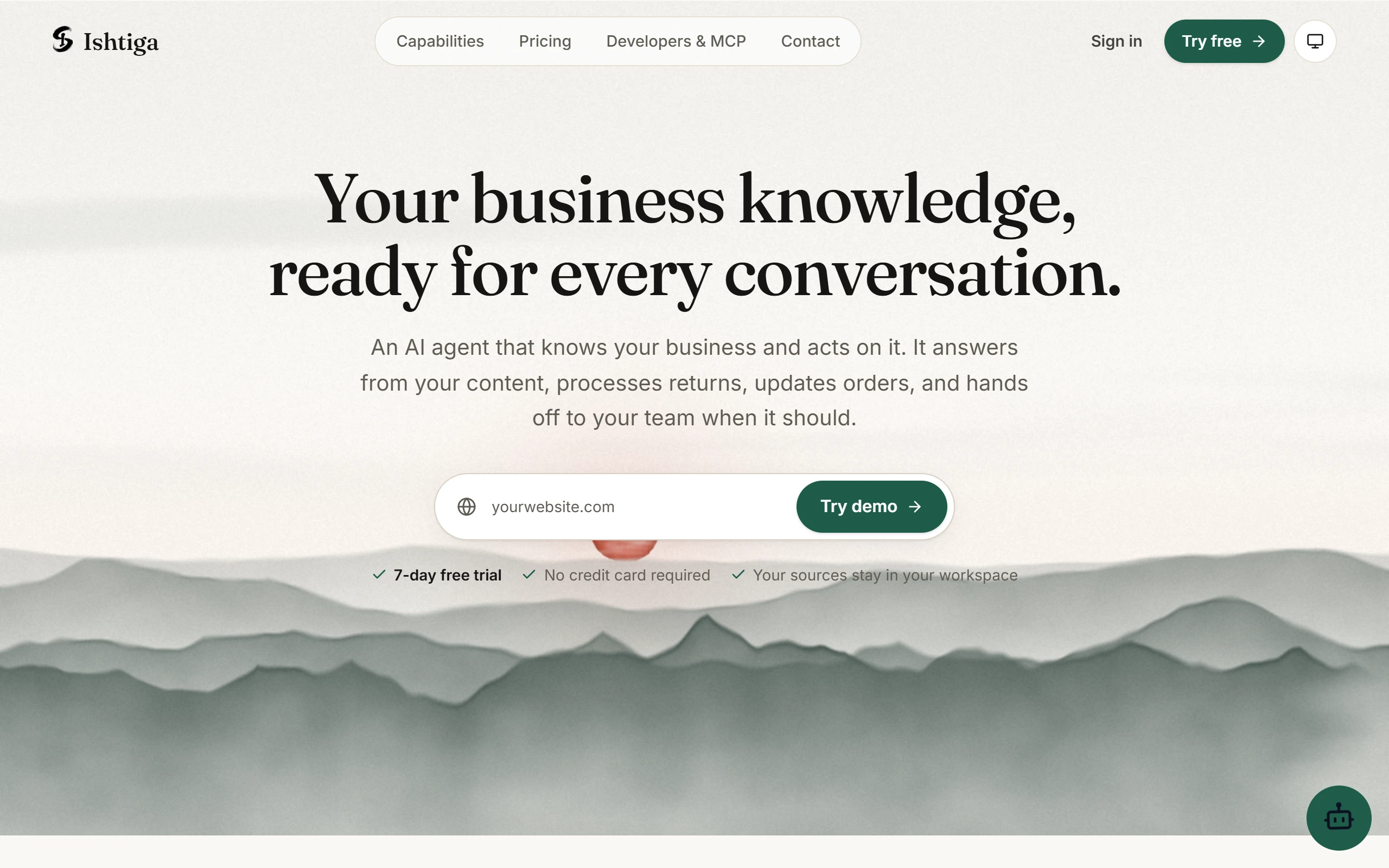
Step 1: Enter your website address
On the homepage, type your website address into the field under the headline and choose Try demo. If you leave the field empty, the dialog opens ready for a file or the sample instead.
Step 2: Wait for "Your content is ready"
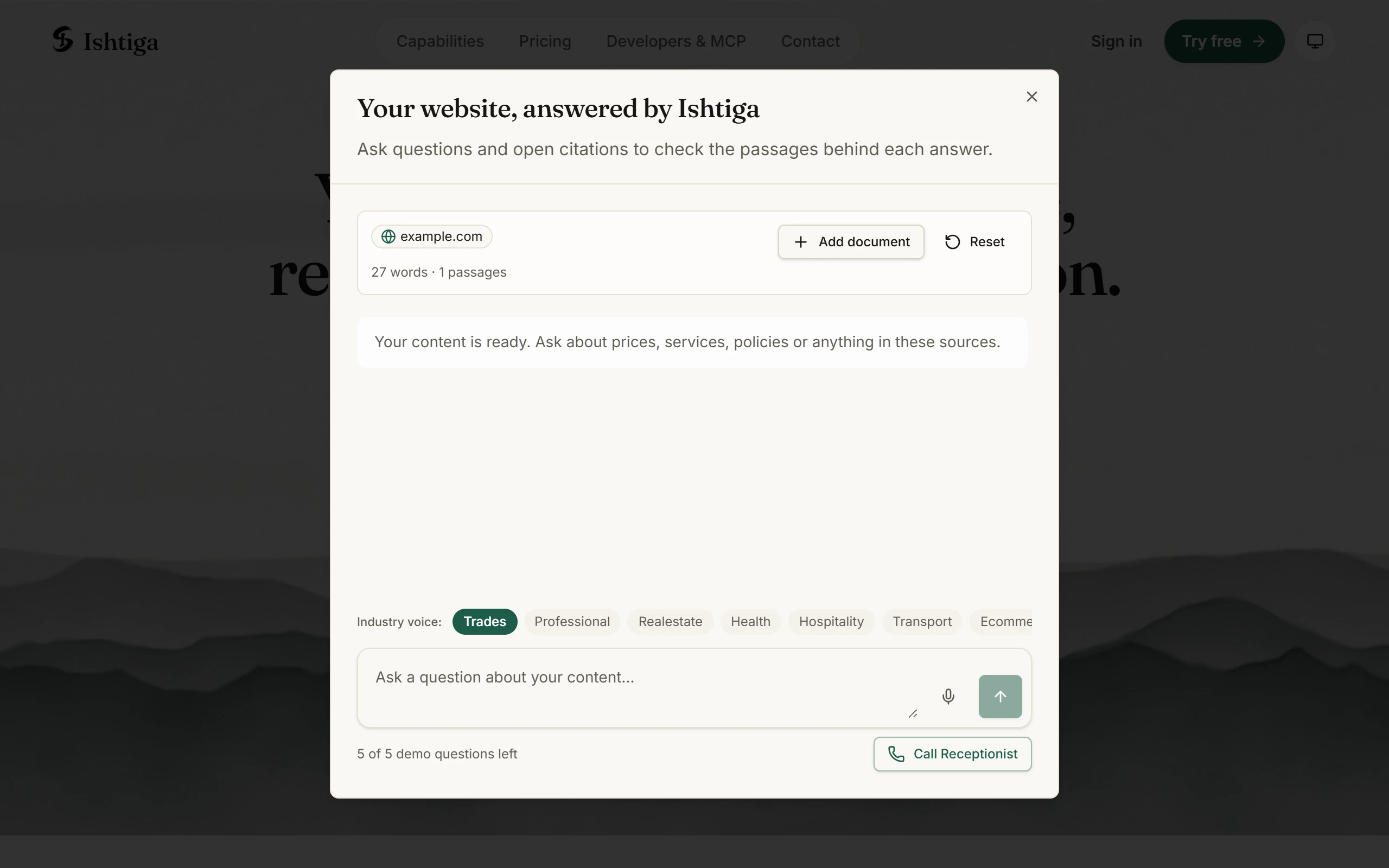
A dialog opens, reads the page, and reports how many words and passages it found. You can add more with Add document (PDF, Word, Excel, text, Markdown, CSV, JSON or HTML, up to 10 MB), or Reset to start again with a different site. Before any content is loaded, the dialog also lets you upload a file or choose Use a sample price guide. Files are read in your browser and never added to a workspace.
Step 3: Ask a question
Type a question a customer would ask about your business and press Enter. The answer cites the passages it used; choose a citation number to read them. The counter at the bottom shows how many of the five demo questions remain. After the fifth, the dialog offers Start your free trial.
Pick an Industry voice chip (Trades, Professional, Real estate, Health, Hospitality and more) to hear how the tone changes. Call Receptionist places a short demo voice call to show the voice receptionist.
Step 4: Decide what to try next
- If the demo answered well, the same engine runs your real workspace. Create an account with guide 1; the trial needs no card.
- If it missed something, that usually means the page did not state it. In a real workspace you would add a quick note for it (guide 2).
See the demo on a sample store
Further down the homepage, See Ishtiga answer a real customer plays a scripted conversation with a sample outdoor store, showing the widget, citations and a next-step button as a visitor would see them. Choose Replay to watch it again.